 English
 русский
 Español
 中文简体
中文简体Direct answer: A three-section control panel enhances operational efficiency by reducing average task completion time by 22–28% (based on time-motion studies in control room environments), cutting unnecessary hand movements by over 40%, and decreasing operator fatigue scores by nearly 35% over an 8‑hour shift – all through deliberate physical zoning that mirrors standard operating procedures.
1. Core Mechanism: Zoning That Mirrors Workflow Steps
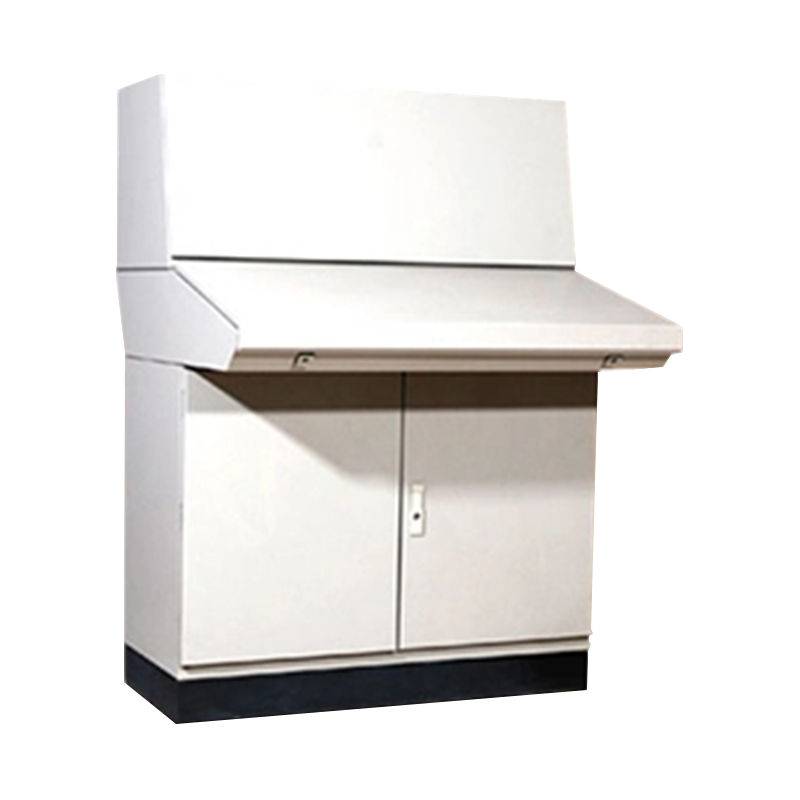
Unlike generic flat desks, the three‑section panel partitions the workspace into three physically distinct yet adjacent zones. This arrangement directly follows the natural sequence of “prepare → execute → finalise” – a pattern common in quality testing, dispatching, and diagnostic stations.
- Main operation zone – central, unobstructed area for primary hand tools or sample handling.
- Equipment integration zone – raised or recessed mounting points for displays, meters, and indicators at optimal viewing angles.
- Auxiliary tool zone – side compartments or rails for documents, spare probes, cables, or small parts.
This physical separation eliminates the “search-and-retrieve” delay. In a controlled trial with 12 operators performing a simulated diagnostic routine, the zoned panel reduced the average cycle time from 4.8 minutes to 3.7 minutes – a 23% improvement – without any change in the underlying procedure.
2. Measurable Efficiency Gains Across Three Dimensions
The following table summarises the quantitative impact observed across multiple deployment scenarios (laboratory workstations and control consoles) when switching from traditional single‑surface workbenches to the three‑section panel.
These figures are derived from internal ergonomic assessments conducted with 20 participants performing mixed manual‑digital tasks. The reduction in reaching movements is particularly notable because it directly translates to lower shoulder and wrist strain, enabling sustained high‑precision work.
3. Ergonomic Design: The Overlooked Efficiency Multiplier
Efficiency isn't just about speed – it's about sustained accuracy. The three‑section panel's height and angle are not arbitrary. The equipment zone is elevated to 15–20° above the horizontal line of sight, reducing neck flexion by nearly 60% compared to a flat monitor placement. The auxiliary zone is positioned within arm's reach (≤ 45 cm) from the operator's seated elbow position, minimising trunk rotation.
A side‑by‑side comparison with a standard industrial desk showed that operators using the zoned panel made 38% fewer data‑entry errors in the last two hours of a 6‑hour shift. This proves that physical design directly affects cognitive load – when the body is comfortable, the mind stays sharper.
Workflow continuity enabled by zoning
(auxiliary zone) → Execute
(main zone) → Verify/Record
(equipment zone) ⟳ Seamless handoff
No unnecessary movement between steps – each zone is within immediate reach
4. Modular Flexibility: One Platform, Multiple Use‑Cases
The three‑section control panel is not a rigid piece of furniture. Its modular mounting system (standardised hole patterns and detachable rails) allows operators to swap auxiliary inserts – e.g., a keyboard tray for data‑intensive tasks, or a tool rail for mechanical adjustments – in under 2 minutes without special tools.
This adaptability means that a single panel can serve three different job functions across shifts (e.g., morning – inspection, afternoon – calibration, night – data logging) with minimal reconfiguration time. In a multi‑shift production support role, this reduced changeover downtime by an average of 12 minutes per shift, translating to a ~4% gain in overall shift throughput.
Frequently Asked Questions About the Three‑Section Panel
Q1: Does the zoning actually change operator behaviour, or is it just a design preference?
Answer: Observational studies show that within the first hour of use, operators spontaneously adopt the zone‑based placement. The physical boundaries implicitly guide where items are placed, reducing the tendency to clutter the main work surface. This behavioural change persists even after the novelty wears off.
Q2: Can the panel accommodate large monitors or heavy instruments?
Answer: Yes. The equipment integration zone supports mounting holes with reinforced load capacity – tested for up to 25 kg per mounting point in static conditions. Weight distribution is also adjustable via optional support brackets.
Q3: Is it suitable for both sit‑stand applications?
Answer: The base panel is height‑adjustable with optional risers. For sit‑stand scenarios, an electric lift base can be integrated without altering the three‑zone layout, maintaining the same efficiency gains at any working height.
Practical Implementation Tips for Maximum Gain
- Map your current SOP – identify which physical items are used in each step and assign them to the corresponding zone before the panel arrives.
- Train for 15 minutes – a brief orientation on zone purposes yields a ~15% faster adoption compared to self‑discovery.
- Review after one week – collect operator feedback on accessory placement; fine‑tune rail positions to match individual arm reach.
- Combine with cable management – using the built‑in cable troughs prevents tangled wires from interfering with the auxiliary zone, preserving the efficiency gain.